
Overview
Schema markup is a small block of hidden code that labels your website for search engines and AI tools.
It tells them plainly: this is a naturopathy practice, this is the practitioner and her qualifications, these are the services, and these are the questions we answer.
AI tools like ChatGPT and Google’s AI answers lean on clear signals like these when deciding which practices to understand, trust and mention.
Start with two labels, one for your practice and one for you, make sure they match your page and your Google Business Profile, then check them with a free validator before publishing. No coding skills needed.
Nerd Alert! I know this article might seem a bit geeky, but it is worth digging in – just like you look at clinical data from an FX test or blood test. We know from experience in this community that having your schema in place helps to make you visible online. James 🚀
You have written a beautiful service page. It explains how you work, who you help and what a first consultation looks like.
Then a potential client asks ChatGPT for a naturopath near them who can help with their digestion. Your name does not come up.
Often the reason is not your writing. It is that the AI tool had to guess what your page was, who wrote it and whether you are a real, established practice. Schema markup removes the guesswork.
What is schema markup, in plain English?
Schema markup is a short block of code added to a web page that labels what the page is and who is behind it, in a standard format that search engines and AI tools all read. Visitors never see it. Machines read it first.
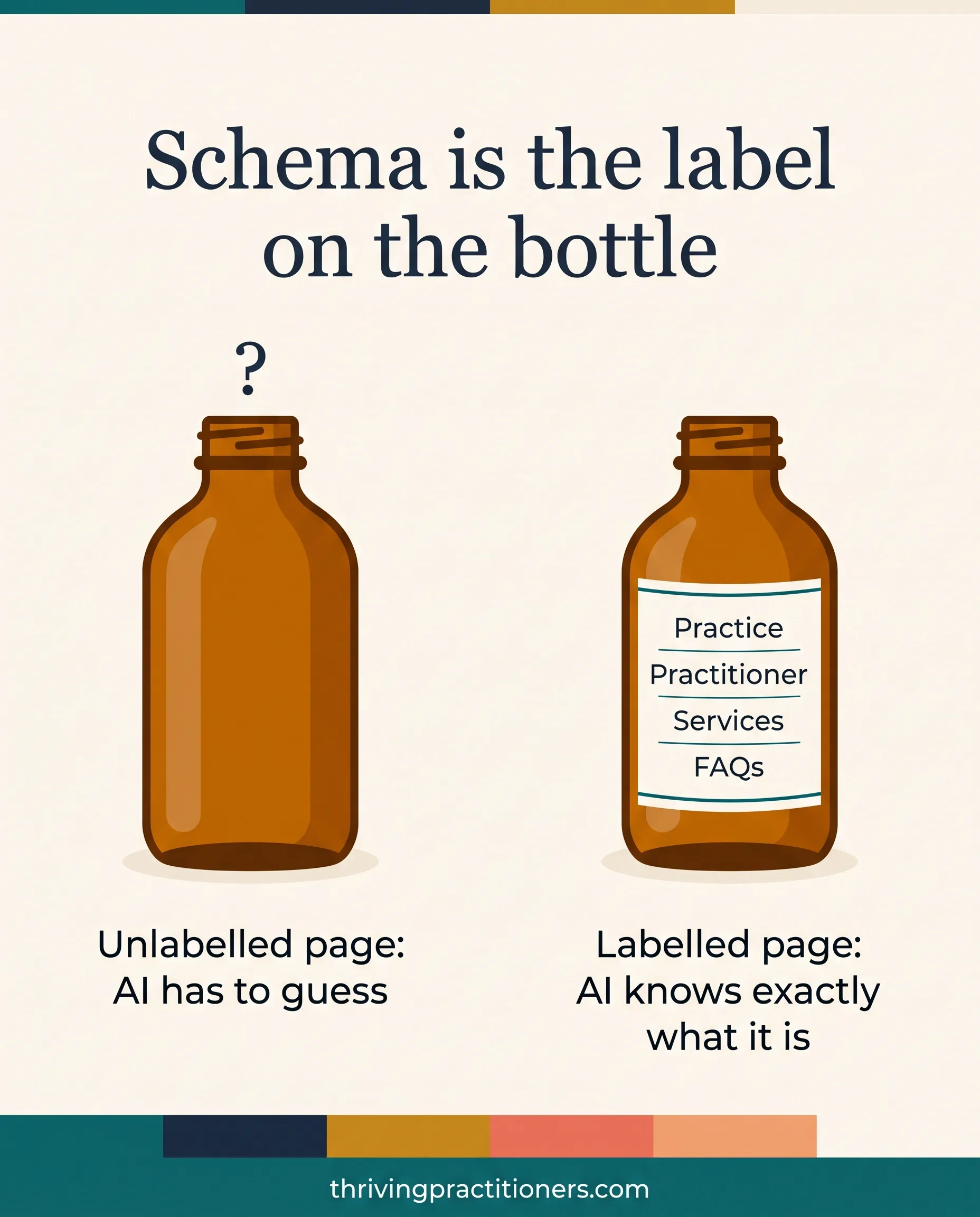
Think of it like the label on a bottle of herbal tincture. The liquid inside is your content. The label tells the dispenser exactly what it is, who made it and what is in it.
Without a label, even excellent medicine sits on the shelf, because nobody can be sure what it is. Your website works the same way. Your pages might be wonderful, but an unlabelled page leaves AI tools to work it out for themselves.
The labels come from a shared vocabulary called Schema.org, which Google, Microsoft and other search providers created together. You do not need to learn it. You just need to know which labels matter for a practice like yours.
Why does schema matter more now that AI tools answer questions?
AI tools pick a small number of sources to mention in each answer, so they favour content they can understand quickly and trust. Schema states your identity, credentials and services directly, which makes your practice easier to understand and easier to trust.
A few years ago, schema was a technical checkbox for SEO specialists. It mostly earned you nicer-looking search results.
Now the job has grown. When someone asks an AI tool a question, it is choosing which practices to describe, and it has to be confident about who you are, where you are and what you do. Schema is one of the clearest ways to tell it.
FROM JAMES
“AI isn’t about replacing the human touch in healthcare. It’s about amplifying your authentic voice so more people can discover your healing gifts.”
James Burgin, Former Naturopath and Digital Marketing Strategist, Pioneer of AI-Powered Practice Growth
Schema is part of that amplifying. It does not change your voice. It makes sure the machines reading your site hear it correctly.
Which schema does a natural health practice actually need?
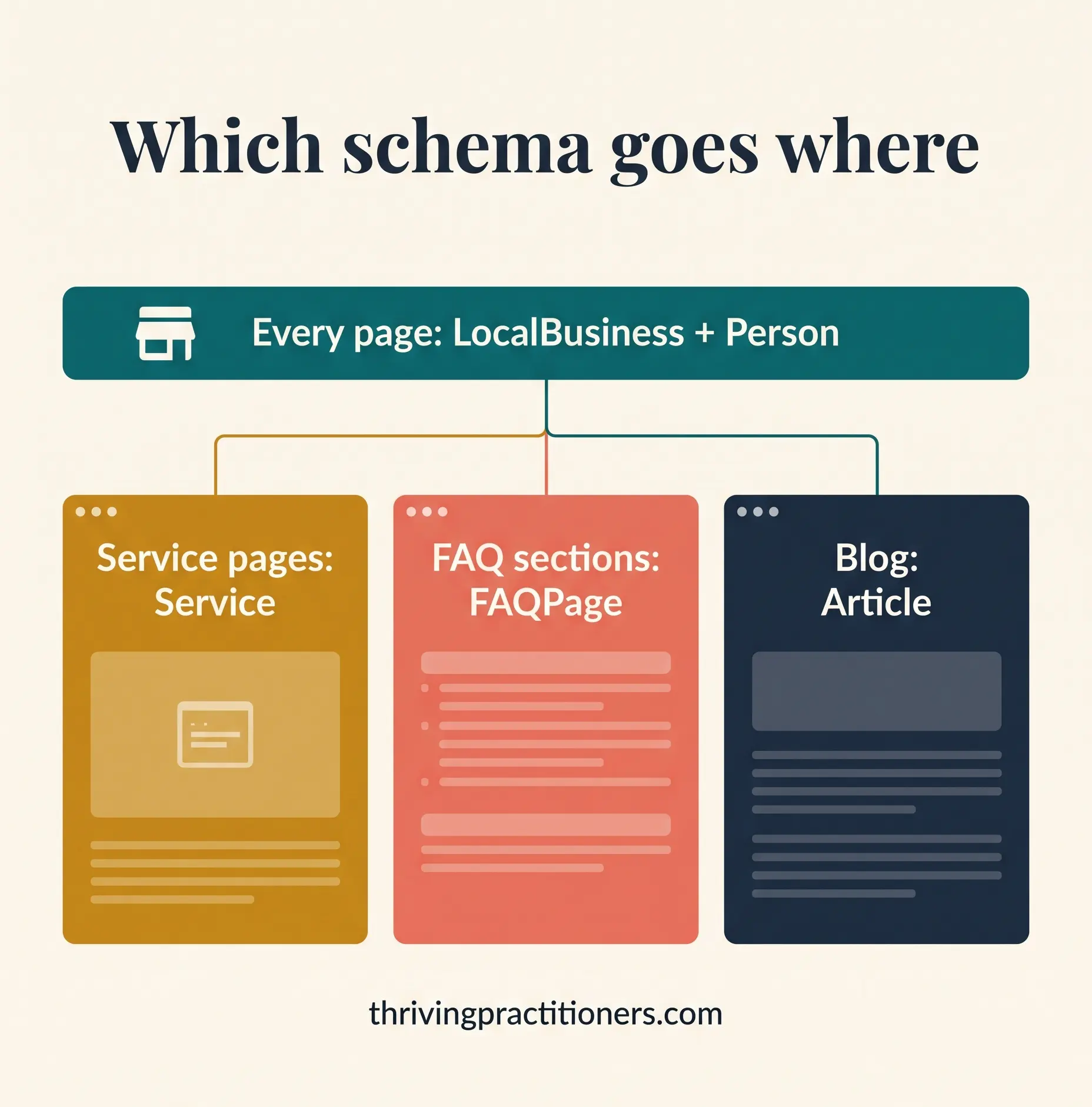
Most practices need five labels: one for the business, one for the practitioner, one for each service page, one for pages with visible FAQs, and one for each blog article. Start with the business and the practitioner, because those two build trust across every page.
| Schema type | What it labels | Where it goes |
|---|---|---|
| LocalBusiness | Your practice: name, address, phone, hours, website, social profiles | Every page (site header) |
| Person | You: your name, qualifications, professional memberships, areas of focus | Every page, and as the author of articles |
| Service | One specific service, such as a naturopathic consultation | Each individual service page |
| FAQPage | Questions and answers that are visible on the page | Pages with an open FAQ section |
| Article | A blog post, its author and when it was published | Each blog article |
One rule sits above all of these: your schema must match what people can see on the page. If your schema says you are open on Saturdays and your page says weekdays only, the mismatch can see your schema ignored, and it chips away at trust.
KEEP LEARNING WITH THE COMMUNITY
Schema is one of those topics that feels technical until someone shows you a real page. At our free Friday Q&A sessions in the Growth Hub, we look at practitioners’ actual websites together and fix things like this live, step by step. Bring your questions, or just watch and learn.
What does this look like on a real practitioner website?
In a September review of a newly rebuilt naturopathy website, the site had no schema at all on any of its eight pages. It was the biggest AI visibility gap on the site, and also the cheapest to close.
The practitioner runs a clinic in the South West of Western Australia. Her site looked lovely and the copy was careful and compliant. But none of its eight pages carried a single schema label: no business, no practitioner, no services, no FAQs.
So we sequenced the fix. Here are your tasks:
- This week: add the LocalBusiness and Person schema to the site header.
- Next fortnight: add Service, FAQPage and breadcrumb schema to the individual pages, once the new FAQs are written.
Two smaller lessons came out of that review, and both apply to almost every practice:
- Hours hiding in plain text. Her page said “By appointment only”, but nothing in the code said so. Adding opening hours to the LocalBusiness schema turned a sentence into a clear signal.
- Check your suburb before you label it. Her old map listing pointed to a neighbouring locality rather than the town on her website. Before writing the address into schema, we flagged it to confirm which one Google recognises, because your website, schema and Google Business Profile all need to say the same thing.
How do I add schema to my website, step by step?
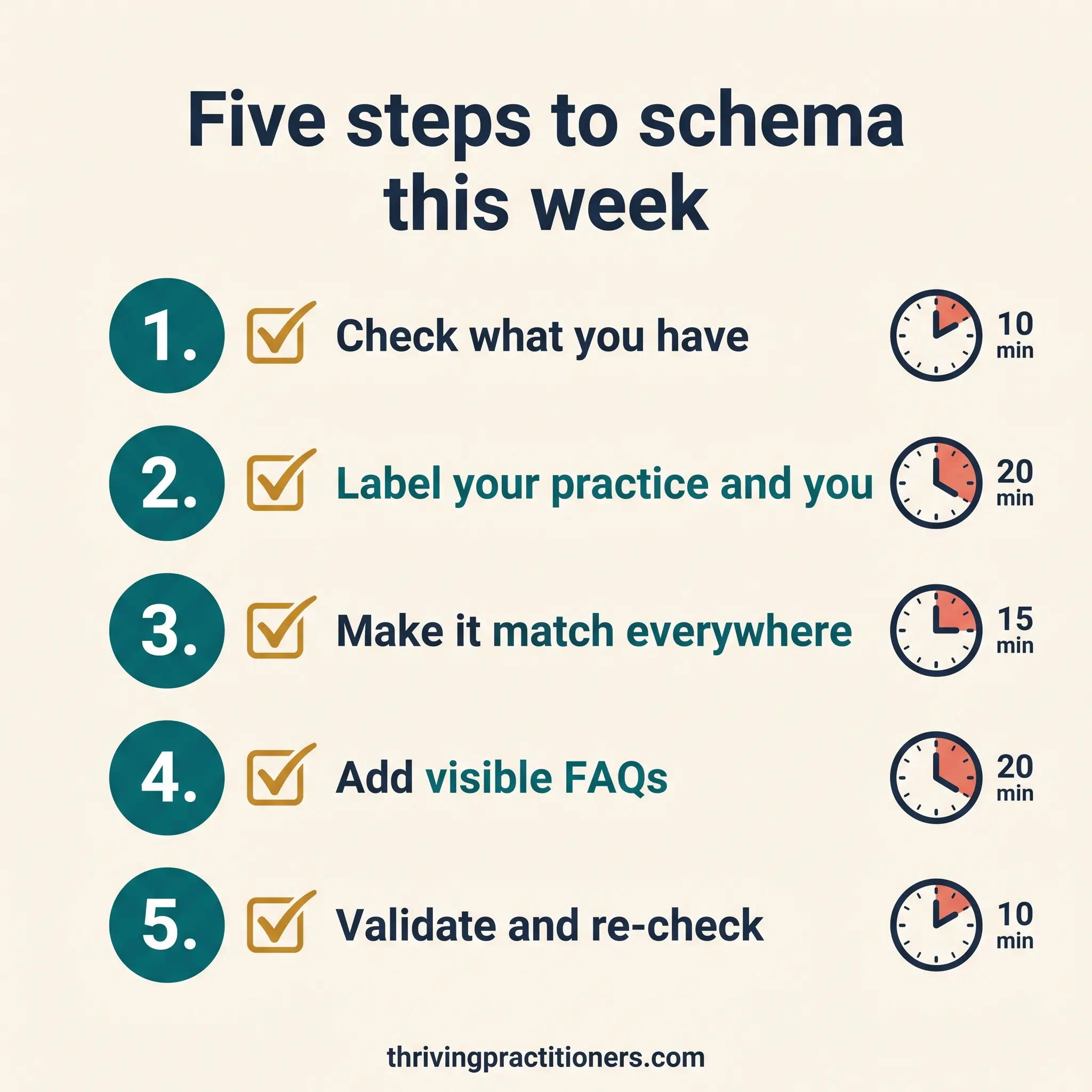
Check what you already have, add your business and practitioner schema first, make it match your page and Google Business Profile, add FAQ schema where FAQs are visible, then validate before and after you publish.
FROM JAMES
“The gap between being a skilled practitioner and running a thriving practice isn’t about natural talent. It’s about learnable systems. That’s what I’m passionate about teaching.”
James Burgin | Thriving Practitioners
Step 1: Check what your site already has (10 minutes)
Go to the free Schema Markup Validator at validator.schema.org and paste in your home page address. It shows every label your page currently carries. Then try Google’s Rich Results Test at search.google.com/test/rich-results, which shows what Google itself can read.
Write down what you find. Many practitioners discover they have nothing, or only a generic label added by their website theme. Both are fine starting points.
Step 2: Create your business and practitioner schema (20 minutes)
Open ChatGPT or Claude and paste in this prompt. Fill in the square brackets using only details that already appear on your website.
Please write JSON-LD schema markup for my natural health practice website.
Use only the facts below. Do not add anything I have not given you.
Create two connected items:
- A LocalBusiness for my practice
- A Person for me, linked as the founder of the practice
Practice name: [exactly as on your website]
Website: [home page URL]
Address: [street, suburb, state, postcode, as on your Google Business Profile]
Phone: [number]
Opening hours: [as shown on your site, or “by appointment”]
My name and title: [e.g. Jane Smith, Naturopath]
Qualifications: [exactly as written on your About page]
Professional memberships: [e.g. ANTA, NHAA, ATMS]
Areas of focus: [3 to 5, in your own words]
Social profile URLs: [Facebook, Instagram, LinkedIn]
Use Australian English. Return only the code, ready to paste.
Step 3: Make it match, everywhere (15 minutes)
Place the code next to your website and your Google Business Profile. Check that your practice name, address, phone number and hours are identical in all three places, down to “St” versus “Street”.
This is the same “one story, told consistently” principle we use for Google Business Profile alignment. Inconsistent details weaken the trust signal. Matching details strengthen it.
Step 4: Add FAQ schema where your FAQs are visible (20 minutes)
If a page already has a question-and-answer section, ask your AI tool to turn those exact questions and answers into FAQPage schema. Three things make FAQs work well for AI tools:
- Write the questions the way clients actually ask them, such as “How long is a first naturopathy appointment?”, not internal phrasing like “Initial consultation duration”.
- Answer in the first one or two sentences. Short, direct answers are far easier for AI tools to use than long, hedged ones.
- Display your FAQs as open text on the page, not hidden inside click-to-open accordions, so both people and AI tools can see every answer.
Step 5: Validate, publish, then re-check (10 minutes, plus a seasonal habit)
Paste your finished code back into the Schema Markup Validator before it goes live. Look for anything marked as an error or a missing required field, and ask your AI tool to fix it. Schema with errors may simply not be read at all.
Then add it to your site. On most platforms there is a header code or custom code area in your site settings; on WordPress, an SEO plugin usually handles it. Once it is live, run the page through both checkers again.
Finally, pop a reminder in your calendar to re-check each season and after any website platform or theme update, because updates can quietly break schema without anyone noticing.
What are the most common schema mistakes practitioners make?
The most common mistakes are labelling things that are not visible on the page, letting details drift out of step with your Google Business Profile, and never checking again after the first setup.
- Labelling what is not on the page. Never add reviews, prices, hours or credentials to schema unless they are visible on that page.
- Inflating credentials. State qualifications exactly as they appear on your certificates and About page. Schema is not the place for aspirational wording.
- Being cautious with reviews. Only mark up reviews you actually display, and check your professional association’s advertising guidance before featuring client testimonials at all.
- Set and forget. Schema is not a one-time task any more. It is an ongoing trust signal, so check it whenever your site changes.
Frequently asked questions
Can someone add schema to my website for me?
Yes. If you would rather not touch code, the Visibility Gold Roadmap checks your site’s schema as part of a full visibility diagnostic, and PractitionerPro websites are built with schema already in place. If you like doing it yourself, the five steps in this article will get you there in an afternoon.
Do I still need schema if I have a Google Business Profile?
Yes. Your Google Business Profile describes your practice on Google Maps, while schema describes it on your own website. When both say the same thing, in the same words, AI tools and search engines can confirm you are one real, consistent practice.
Will schema get me to the top of Google?
No single change guarantees a ranking. Schema helps search engines and AI tools understand your pages clearly, which supports your visibility, but it works alongside helpful content, a well-aligned Google Business Profile and a site that clients can use easily.
Can I use ChatGPT or Claude to write my schema?
Yes, and it is one of the best everyday uses of AI for practitioners. Give the AI tool only facts that already appear on your page, then always run the result through a validator before you publish it.
Is FAQ schema still worth adding if Google no longer shows FAQ dropdowns?
Yes. Google now shows FAQ dropdowns in search results for only a small group of well-known sites, but FAQ schema still labels your questions and answers clearly for AI tools. Add it only where the questions and answers are visible on the page.
How often should I check my schema?
Check it when you first add it, whenever you change a page’s content, and after any major website platform or theme update. A quick check each season is a simple habit that catches problems early.
What is the difference between schema markup and structured data?
In everyday use they mean the same thing. Structured data is the general idea of labelling information for machines, and schema markup is the shared vocabulary (from Schema.org) that most websites use to do it.
Where to from here?
Schema is quiet work. Nobody visiting your site will ever see it. But it is one of the clearest ways to tell the AI tools your future clients are using exactly who you are and what you offer.
If you do one thing this week, do Step 1. Ten minutes will tell you where you stand.
VISIBILITY GOLD ROADMAP
A personalised diagnostic of your practice’s visibility: what is working, what is holding you back, and the exact sequence to fix it, including your schema, Google Business Profile alignment and AI visibility. $199. https://thrivingpractitioners.com/visibility-gold-roadmap/
Warmly,
James Burgin
Founder, Thriving Practitioners. Former naturopath, clinic owner and creator of Metaphysical SEO.