

Quick Overview: Vibe‑Coded Widgets
- From Brochure to Experience
Vibe‑coded widgets transform static practitioner websites into interactive experiences that increase dwell time and engagement. - Built by Conversation
You describe what you want to an AI like Claude, which generates a complete, self‑contained website widget. - Boosts AI Visibility
Interactive widgets generate structured, conversational content that AI systems prefer to cite when answering health queries. - Faster Leads & Trust
Quizzes and calculators capture leads at high intent while letting visitors experience your clinical thinking.
A new library of interactive widget ideas for natural health practitioners — and why they might be the most underused tool in your digital practice.
The Problem With Most Practitioner Websites
Most practitioner websites are brochures.
They tell visitors who you are, what you do, and where to book. They are polite, professional, and entirely forgettable. The visitor arrives, scrolls, reads a little, and leaves. There is no moment of connection, no taste of your thinking, no spark of “this person understands me.”
And then the visitor asks ChatGPT the same question they came to your site to answer.
The problem is not that your website is badly written. The problem is that it asks nothing of the visitor. It gives them no way to participate. And participation is the single biggest driver of the three things every practitioner website needs: dwell time, lead capture, and the kind of structured content that AI systems cite when they answer questions about your area of expertise.
There is a better way. And it is quietly becoming one of the most powerful tools available to practitioners who want to stand out.
It is called vibe coding. And it is changing what a practitioner website can do.
What Is a Vibe-Coded Widget?
“Vibe coding” is the new term for building software by conversation. You describe what you want to an AI assistant like Claude — in plain English, the way you would describe it to a friend — and the AI writes the code.
A vibe-coded widget is a small, interactive piece of your website that you build this way. Not a plugin. Not a subscription. Not a developer project. Just a single, self-contained file that lives on one of your pages and does one specific thing — beautifully.
It might be a two-minute quiz that scores a visitor’s hormone balance. An interactive body map that reveals what each symptom might mean. A gentle decision tree that helps a visitor work out whether your three-month programme is right for them. A searchable library of the herbs you use most. A sleep quality calculator. A testimonial filter wall. A “which test is right for me” selector.
The shift is profound. Instead of telling visitors what you do, you let them experience your thinking. Instead of a static page, you give them a moment of insight. Instead of a bounce, you get a lead, a CTA click, or at the very least, a visitor who stayed on your site twice as long as they would have otherwise — and whose data now signals to Google and to AI systems that your page is valuable.
And the best part? You can build one in an afternoon.
Why Widgets Work So Well Right Now
Three forces are converging that make this exactly the right moment for practitioners to start using widgets.
Search is changing. AI systems like ChatGPT, Gemini, Perplexity, and Claude are increasingly answering health questions directly. To be cited by them, your website needs structured, conversational content — exactly the kind of content that widgets naturally generate. A quiz that answers “what does my cycle tell me about my hormones?” is AI-citation gold.
Attention is scarcer than ever. The average visitor gives a website about eight seconds before deciding whether to stay. Static text cannot hold them. But a progress bar on a quiz can. An animated body map can. A score circle filling in front of their eyes can. Interactivity is the single most powerful antidote to the scroll-and-bounce behaviour that is quietly killing most practitioner sites.
Building software just got radically easier. Two years ago, a custom quiz on your website meant hiring a developer or using an expensive plugin with limited design control. Today, you can describe the quiz to Claude in plain English, copy the resulting HTML file, and upload it to your site. The technical barrier has effectively disappeared.
What has not caught up yet is the number of practitioners actually doing this. That is your opportunity.
The Library: Six Themes of Widgets Worth Building
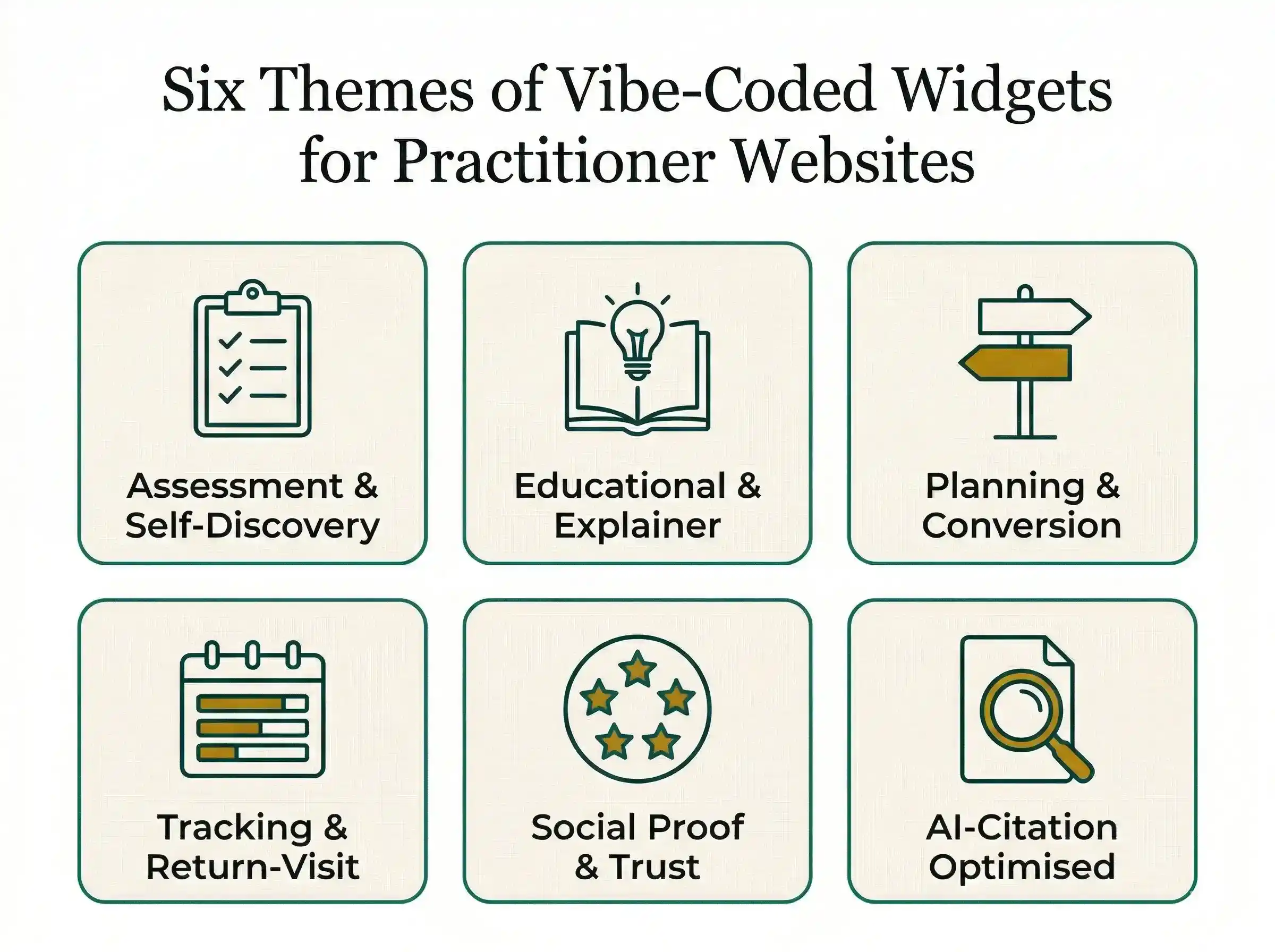
To help you see what is possible, we have compiled a library of over 35 widget ideas specifically for natural health practitioners, organised six different ways.
Assessment and self-discovery widgets give visitors personalised insights in exchange for their attention — symptom checkers, root-cause quizzes, hormone balance scores, gut health self-audits, sleep quality calculators, metabolic type quizzes, and “which test is right for me” selectors.
Educational and explainer widgets build your authority and generate AI-citable content — interactive body maps, nutrient decoders, herb libraries, test result translators, supplement interaction checkers, and cycle phase educators.
Planning and conversion widgets turn curiosity into commitment — decision trees, investment calculators, discovery call pre-qualifiers, custom protocol previews, and programme match-makers.
Tracking and return-visit widgets build habits and bring visitors back — symptom trackers, habit streak trackers, cycle trackers, and mood journals.
Social proof and trust widgets convert the on-the-fence visitor — animated outcomes counters, anonymised before/after carousels, filterable testimonial walls.
AI-citation-optimised widgets are specifically designed to get your site referenced in AI answers — FAQ accordions with schema markup, knowledge search tools, glossary tooltips, and condition encyclopedia cards.
The full library is inside the Thriving Practitioners Growth Hub, along with a practical action plan you can follow step by step — which is the point of this post.
Example Vibe-Coded Widget
Your Fertility Cycle Guide
Explore each phase of your menstrual cycle to understand the hormonal shifts, nutritional support, and lifestyle choices that may help nourish your fertility journey together.
How to Get Started: Example Prompts You Can Use Today
The best way to understand vibe coding is to try it. Open Claude — the free version works fine for this — and paste one of the prompts below. You will have a working widget in minutes.
Prompt 1 — A Sleep Quality Calculator
“I’m a naturopath. Build me a single self-contained HTML file with a short sleep quality calculator. It should ask 5 questions about bedtime, wake time, time to fall asleep, night wakings, and how rested the person feels. Calculate a 0–100 sleep quality score and give a personalised paragraph of insight based on the result. Style it with soft greens and cream, use Georgia for headings and a sans-serif body font, make it mobile-friendly, and finish with a CTA button to book a free discovery call. Embed JSON-LD Quiz schema for AI visibility.”
Prompt 2 — A Gut Health Self-Audit
“I’m a gut health nutritionist. Create a single-file HTML widget that walks a visitor through a gut health self-audit. Include 8 questions covering bloating, stool frequency, stool type (Bristol chart), food reactions, stress, energy, skin, and sleep. Score it out of 100 and return one of four gut health profiles — Thriving, Imbalanced, Inflamed, or Stressed — each with a short explanation and a next step. Use warm earthy colours, end with a CTA to book a 20-minute gut health call, and include FAQ schema.”
Prompt 3 — A “Which Test Is Right For Me?” Selector
“I’m a functional medicine practitioner offering GI-MAP, DUTCH, OAT, and MRT testing. Build a single HTML file that asks the visitor 6 symptom-based questions and recommends the single most relevant test based on their answers, with a short paragraph explaining why. Include a clear CTA to book a consultation to discuss the test. Mobile-first design, professional colour palette, and quiz schema.”
Prompt 4 — A FAQ Accordion With Schema
“Build me a beautifully styled FAQ accordion as a single HTML file. I’ll paste my 10 most common practitioner questions below. It should expand and collapse smoothly, work perfectly on mobile, match my brand (soft teal and gold), and embed FAQPage JSON-LD schema so AI systems and search engines can read the questions and answers. Here are my FAQs: [paste yours].”
Prompt 5 — A Practitioner Outcomes Counter
“Create a small, single-file HTML widget that sits at the top of my homepage. It should animate three counters: the number of clients helped, the number of protocols delivered, and the number of years in practice. Use elegant serif numbers that count up when the page loads. Make it responsive and style it to match a warm, natural health brand.”
Each of these prompts produces a working widget you can drop straight onto your site. Each one gives your visitors a reason to stay, interact, and leave their details.
Your Next Step
Inside the Thriving Practitioners Growth Hub, we have built out the full Vibe-Coded Widgets library alongside a simple, week-by-week action plan showing you exactly how to choose your first widget, build it with Claude, install it on your site, and drive traffic to it with a supporting blog post and social content.
If you are ready to move your website from brochure to experience — and start capturing the leads, the dwell time, and the AI citations that static pages simply cannot — the action plan is waiting for you.
Your first widget is an afternoon away. Your competitors have no idea this is possible. That is a very good gap to be standing in.